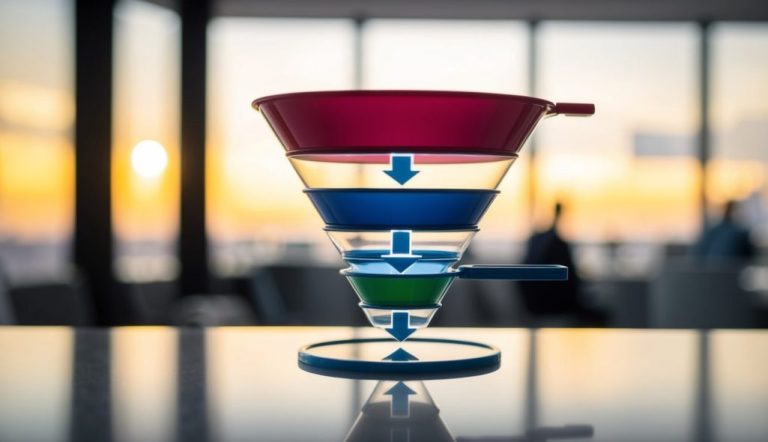
A sales funnel chart is an essential tool for understanding and visualizing the journey a customer takes from initial contact to a completed sale. This chart helps you identify potential drop-off points in your sales process, making it easier to improve your conversion rates. It visually represents the different stages of the sales pipeline, showing how many prospects turn into actual customers.

Creating a sales funnel chart in Excel can streamline your data analysis, allowing you to make informed business decisions. These charts depict a clear view of your sales performance and can highlight areas that need attention.
By integrating them into your workflow, you ensure that every step of your sales process is optimized for success.

Focusing on key elements such as design and readability will enhance the effectiveness of your sales funnel chart. With a better understanding of these components, you’ll be equipped to apply advanced techniques that align with your business goals. This approach not only refines your sales strategy but also helps in maintaining a competitive edge.
Key Takeaways
- Sales funnel charts track the customer journey and identify drop-off points.
- Creating these charts in Excel enhances data analysis and decision-making.
- Design and readability are crucial for effective sales funnel charts.
Understanding Sales Funnels
Understanding sales funnels is crucial for improving your sales process. Here, we discuss the stages of sales funnels, the customer journey, and how conversion rates relate to sales leads.
Sales Funnel Stages
A sales funnel typically consists of several stages that represent different phases of the buyer’s journey. The most common stages include awareness, interest, decision, and action.
- Awareness: Potential customers become aware of your product or service.
- Interest: Prospects show interest by seeking more information about what you offer.
- Decision: Prospects evaluate your offerings to make informed decisions.
- Action: The prospect makes a purchase or takes a desired action.
Each stage narrows down the funnel as prospects move through, aligning with a funnel chart to visualize this transition.
Customer Journey
The customer journey maps out the experiences your customers have from first contact to purchase. It starts with identifying needs and ends with the resolution of those needs through your product or service.

Understanding the journey helps tailor your sales process to enhance customer satisfaction. With a customer-first approach, you address needs better and improve engagement. Learn about your audience’s challenges at every phase for effective sales funnel optimization.
Conversion Rates and Sales Leads
Conversion rates measure the percentage of potential customers who take a desired action at each stage of the sales funnel. Tracking these rates helps identify strong and weak points in your sales process.
To boost conversions, focus on qualifying sales leads and addressing their specific challenges. Tools like sales funnel charts can diagnose conversion issues, aiding in the adjustment of strategies to ensure prospects reach the final stage. Efficient conversion strategies lead to more successful customer relationships and increased sales.
Elements of Sales Funnel Charts
Sales funnel charts are essential for visualizing the stages customers go through in a sales process. These charts break down data into manageable sections, allowing you to see where improvements are needed. They consist of several elements crucial for effective visualization and analysis.
Inverted Pyramid Visualization
The inverted pyramid shape is key to a sales funnel chart. This unique design helps to show a decrease in the number of customers as they move through different stages of the sales process. It starts with a broad top, where potential customers enter, and narrows towards the bottom, showing successful conversions.
This layout is useful for identifying stages with high drop-off rates. Such a view enables you to spot where customers exit the process and take action to improve. By focusing on these areas, you can streamline the sales funnel for better performance. A clear and well-defined inverted pyramid aids in making data more understandable.
Data Series and Categories
Data series and categories form the backbone of your sales funnel chart. The data series represent the different stages in the funnel, such as leads, prospects, and customers. Each category should accurately reflect the change in numbers at each stage.
Using accurate data in the series is important. This ensures the chart truly represents what is happening in your sales process. It helps you identify which stages need more attention or adjustments. Consistent data across categories also aids in clearer comparisons and insights, making your funnel more actionable.
Choosing appropriate categories helps you focus on key transitions. This can lead to improved strategies at different stages.
Chart Elements and Data Labels
Chart elements like colors, shapes, and data labels enhance the clarity and readability of your funnel chart. Colors can represent different stages, making it easier to differentiate them at a glance. Shapes help emphasize the hierarchical structure of the pyramid, while data labels provide specific numerical insights at each stage.
Data labels offer precise numbers that show how many individuals remain at each funnel stage. They add a layer of detail that’s crucial for in-depth analysis. Labels should be clear and easy to read to avoid confusion. Proper chart elements make complex data simple and actionable, improving your ability to make informed decisions.
Creating a Sales Funnel Chart in Excel
In Microsoft Excel, creating a sales funnel chart helps visualize the steps customers take before making a purchase. The chart narrows as it progresses, representing different stages in the sales process. This guide covers how to create and customize an effective sales funnel chart.
Using Excel for Funnel Charts
Begin by opening Excel and inserting your data. Enter the stages of the sales process in one column and their corresponding values in another.
Next, highlight this data. Navigate to the Insert tab, then select Waterfall, Funnel, Stock, Surface, or Radar Chart. From the drop-down menu, choose “Funnel.” The funnel chart appears, showing the distribution of values across the stages.
This visual presentation helps identify areas where improvements could boost sales.
Excel’s built-in features make it simple to create funnel charts. These charts provide a clear view of how prospects move through your sales pipeline.
Customizing Data Points
Once you have created your funnel chart, you may need to customize it to better reflect your needs. Click on any data point in the chart to open the Format Data Point menu.
Here, you can adjust colors, labels, and more. This customization allows you to emphasize critical stages or values that require attention.
Changing the appearance of data points helps communicate specific insights. You can also choose to format labels to display percentages or absolute values at different stages, providing detailed insights into how each stage is performing.
Adjusting Gap Width and No Fill Option
Fine-tuning your sales funnel chart makes it more insightful. Use the Format Data Series menu to adjust the gap width between sections. A narrowed gap highlights transitions between stages more clearly.
To access this, right-click any section and select Format Data Series, then adjust the Gap Width slider.
Using the No Fill option is another great customization feature. If certain data points are placeholders, set them to No Fill to focus attention on the more important stages. These adjustments enhance the clarity and impact of your sales funnel insights.
Advanced Sales Funnel Chart Techniques
In the world of sales, advanced funnel chart techniques can significantly enhance clarity and efficiency. These methods include using stacked bar charts for better visualization, custom templates for personalization, and leveraging Office 365 tools for streamlined processes.
Stacked Bar Funnel Charts
Stacked bar funnel charts offer a clear way to visualize different stages of the sales funnel. By using a stacked bar chart, you can see each stage as a part of the whole, representing the flow from lead generation to completed sales.
This format helps highlight which stages may need more attention. You can easily spot where potential sales drop off, allowing for targeted improvements. This approach makes comparing data between stages in different periods straightforward and visually intuitive. It’s especially helpful in presentations where clarity and impact are key.
Custom Funnel Templates
Using a custom sales funnel template can greatly enhance the visualization of your data. Customization allows you to tailor the chart to fit your specific needs, such as emphasizing particular sales funnel stages.
You can adjust colors, labels, and segments to align with your brand and make them more visually appealing.
Custom templates can also include additional data points like customer feedback or conversion rates. This added detail can provide deeper insights into your sales process.
Office 365 Tools and Features
Office 365 provides several tools that can be utilized in creating and managing sales funnel charts.
With Excel, you can utilize features such as Data Analysis Toolpak to collect and interpret data. The integration with other Office 365 applications like PowerPoint allows you to present your funnel data in a professional manner.
Office 365 also offers collaboration tools, making it easier for team members to work together on refining sales strategies. Features like comments and sharing options ensure everyone stays aligned and informed. These tools can help streamline your workflow, making your sales management process more efficient.
Improving Readability through Design
For a sales funnel chart to be effective, it should be visually appealing and easy to read. Design tools like enhancing visual elements, adjusting categories, and using creative fills can significantly improve how users engage with the data.
Enhancing Visual Appeal
Visual appeal is key to making your funnel chart more accessible. Using clean lines, simple color schemes, and uniform shapes helps direct a viewer’s focus. Opt for contrasting colors for different segments to make each stage of the funnel distinct.
Incorporate simple fonts to label each stage clearly. Avoid clutter by limiting text and using icons where possible. Keeping these elements consistent ensures that everything is legible at a glance, enhancing user interaction and retention.
Categories in Reverse Order
Sometimes listing categories in reverse order can improve clarity. Typically, a funnel chart narrows with each step, representing a decrease in numbers or engagement. By reversing the order, you align the chart’s flow with intuitive reading patterns.
Reversing order helps users see outcomes first, offering a quick overview. It also highlights the importance of the final stages, encouraging focus on end results. This technique can be useful in emphasizing key data points or values, leading to a better sense of understanding through a purposeful layout.
Picture or Texture Fill
Using picture or texture fill in your funnel chart adds a unique touch to your design. Images can represent the theme or context of the data. For instance, use relevant images in backgrounds to link directly to the topic at hand.
Textures can help differentiate sections without overwhelming the viewer. They add depth and help in distinguishing between similar values. Moderation is crucial here; too much can distract from the main content. Subtle fills paired with clear boundaries maintain focus while enhancing readability.
Can you provide examples of a sales funnel chart in use?
Sales funnel charts are used in marketing and sales to track leads and conversion rates. For example, a company might use one to see where potential customers are dropping off in the process. This helps make data-driven improvements.
What distinguishes a funnel chart from a waterfall chart?
A funnel chart is shaped like an inverted pyramid to represent sales stages. It focuses on identifying drop-offs and conversion improvements. In contrast, a waterfall chart demonstrates cumulative effects. It shows how sequentially introduced positive and negative values lead to a final result.
What are the key components of the sales funnel method?
The sales funnel method includes stages like lead generation, prospecting, and conversion. Each stage seeks to narrow down potential customers to those who make a purchase. This process helps in analyzing performance and optimizing sales strategies.