Creating and managing a content calendar can be a daunting task, especially if you’re juggling various social media platforms and marketing efforts. Free content calendar templates can simplify this process by providing structure and organization to your content creation activities. These templates help you plan your posts, streamline workflows, and ensure that your content resonates with your audience.
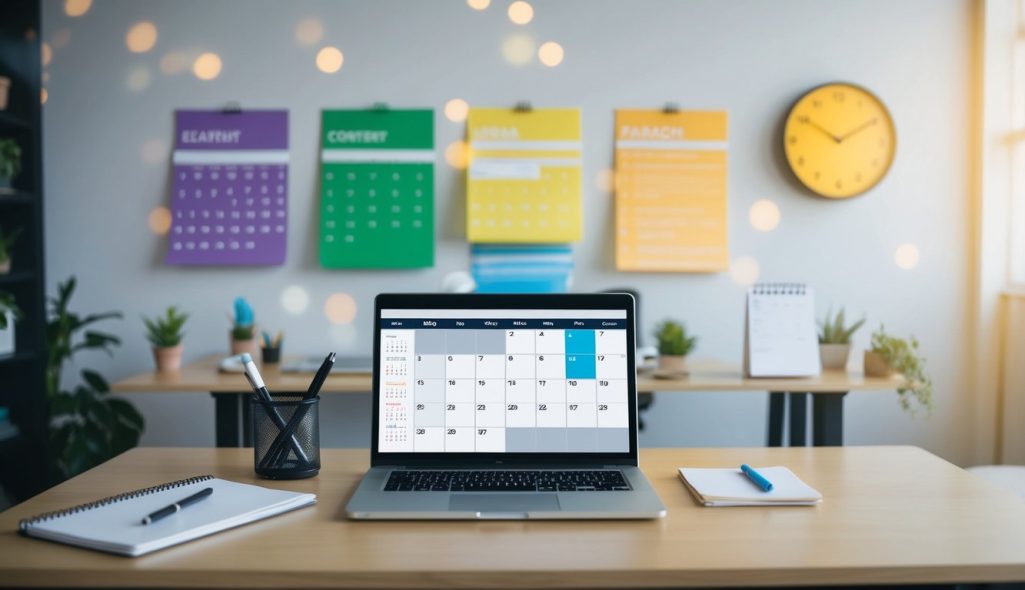
Whether you’re a social media manager, part of a marketing team, or working individually, utilizing these templates can enhance your strategy. Many platforms, such as Excel, Google Sheets, and tools like ClickUp’s Content Calendar Templates, offer free options to help you get started. A well-organized content calendar not only helps you keep track of publication dates but also aligns your content with your marketing goals.
Understanding how to use and customize these templates is crucial for maximizing their benefits. Your content calendar becomes more than just a schedule; it transforms into a strategic tool that guides your content efforts. By using templates effectively, you can focus on what matters most—creating engaging and impactful content that meets your audience’s needs.
Key Takeaways
- Free templates help organize and simplify content creation.
- Use templates to align your content with marketing goals.
- Optimize your strategy by effectively customizing templates.
Understanding Content Calendars
Content calendars are essential tools in marketing that help organize and plan content efficiently. They ensure content aligns with strategic goals and is published on schedule. This section explores their role in marketing, how to choose the right one, important elements, and the key differences between editorial and content calendars.
The Role of Content Calendars in Marketing
A content calendar plays a crucial role in marketing by organizing your content strategy. It helps you align your content with your marketing goals. By using a content calendar, you can plan ahead, ensuring consistent messaging and timing. This tool keeps your team on track with deadlines, reduces last-minute haste, and allows for better resource allocation.
Having a clear schedule aids in collaboration. It also ensures that all team members can see what’s coming up and what’s been completed. Such visibility aids in consistent communication and seamless project management. Additionally, a well-structured calendar helps you make data-driven adjustments to optimize content performance over time.
Choosing the Right Content Calendar for Your Needs
When choosing a content calendar, consider your team’s specific needs and the tools they already use. Options range from simple spreadsheets to integrated software like Google Sheets, Trello, or Asana.
Consider the size of your team, how complex your projects are, and your budget. Simpler solutions might work for small teams, while larger organizations may benefit from advanced tools with tracking features.

Evaluate the ease of collaboration and integration with other platforms used by your team. Assess whether the calendar allows for easy updates and visibility for all stakeholders. Also, consider how it fits within your existing content strategy and whether it supports long-term marketing goals and planning.
Elements of an Effective Content Calendar
An effective content calendar should include several key elements. Start with a timeline that shows your content publishing schedule. This helps in planning content around key dates and events.
Include clear assignments of who will create, review, and publish each piece. Highlight platforms where content will be posted, helping in precise targeting and tracking.
Each entry should detail the type of content, such as blog posts or social media updates, and align with content strategy. Goals should be clearly defined, such as increasing engagement or driving traffic. Additionally, include a space for feedback and performance notes, enabling continuous improvement and adaptation.
Difference Between Editorial and Content Calendars
Editorial and content calendars are often mentioned together, but they serve different purposes. An editorial calendar focuses on the themes and concepts you’ll cover over a certain time. It’s more about the broader vision and topics, setting the stage for storytelling and thematic planning. It plays a role in long-term content planning and strategy.
On the other hand, a content calendar is more detailed, used for day-to-day activities and scheduling. It includes specifics about content pieces, deadlines, and platforms. Understanding this distinction helps you utilize both tools effectively, enhancing your ability to execute a cohesive and dynamic content strategy.
Free Content Calendar Templates Overview
In today’s fast-paced digital environment, using free content calendar templates can streamline your workflow. These templates provide structure, making it easier to plan, organize, and execute your content strategy effectively, whether you’re using Google Sheets, Excel, or another platform.
Pros and Cons of Using Templates
Pros:
- Templates save time by providing a ready-made structure for your content planning.
- They help ensure consistency across your marketing efforts.
- Many templates, like the Content Marketing Calendar Template, offer visual aids to keep your strategy clear and accessible.
Cons:
- Free templates might not fully meet your specific needs without some customization.
- They can lead to uniformity if not adapted to your unique brand voice.
- Some features may be limited compared to premium versions.
Template Adaptability and Customization
Free content calendar templates, such as those available for Google Sheets and Excel, offer opportunities for customization. You can adjust layouts, fields, and color schemes to match your brand identity.
You can also expand simple templates into more comprehensive tools by adding rows and columns for additional information. This adaptability ensures the template aligns with your specific requirements. For example, a Social Media Content Calendar Template can be tailored by including platform-specific details or posting frequencies.
Integration with Other Tools
Integrating content calendar templates with tools like Trello, Asana, or CoSchedule enhances their effectiveness. Many templates, especially those in Excel and Sheets formats, support export features that facilitate seamless transfer of information across platforms.
Integration allows for a more streamlined workflow, enabling collaboration among team members. For instance, an Editorial Content Calendar Template can be linked with project management software to track progress, deadlines, and responsibilities, ensuring all team members are informed and aligned. This interconnected approach aids in optimizing content management processes.
Frequently Asked Questions
Explore free options for creating and managing content calendars, from platform recommendations to format compatibility.
What is the best way to create a content calendar without any cost?
To create a content calendar for free, you can use services like Google Sheets which offer customizable templates. These are user-friendly and perfect for individuals or small teams needing a flexible solution without monetary investment.
Which platforms offer the best free templates for social media content calendars?
Platforms such as Trello and WordPress Editorial Calendar are effective choices. Trello is ideal for larger teams, while WordPress suits bloggers and small teams managing social media schedules at no cost.
Can I find a content calendar template that is compatible with Excel for free?
Yes, you can download an Excel-compatible template from Smartsheet. This template allows you to organize and outline your content strategy while keeping all your plans in one place with Excel’s features.
Are there any downloadable content calendar templates available in PDF format?
Free content calendar templates in PDF format are available on platforms like Smartsheet, which lets you download them directly. PDFs are useful for those wanting a fixed format to print or share easily.
How can I use Google Sheets to manage my content calendar?
Google Sheets can be a powerful tool for managing your content calendar. It offers free templates where you can input your content plans and track your schedule. Collaboration is simple since you can share your sheet with team members for real-time updates.
Does Canva provide customizable content calendar templates for users?
Canva offers a variety of templates, including content calendars. Some templates may require a subscription, but there are also free options available. You can fully customize these to suit your specific branding and content needs.